This is the form a family fills in to ask about enrolling, or to book a tour. What they write is emailed to the school office.
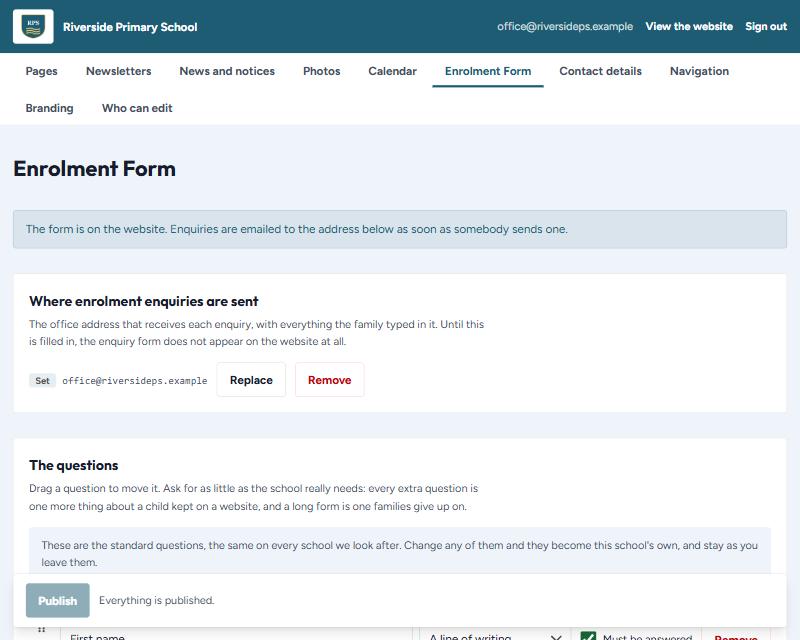
Switching it on
The form is off until the school says where enquiries should go. Until then, any page that has the form shows the school's telephone number and email address instead.
- Under Where enrolment enquiries are sent, press Add it.
- Type the office email address.
- Press Save.
This box saves on its own, straight away. It has no Publish button, because the address is never built into the website — it is kept privately, so no visitor can read it.
What happens to an enquiry
- It is emailed to that address as soon as somebody sends it.
- It is kept nowhere else — not on the website, and not in the admin.
- Pressing Reply in that email answers the family directly.
- If the email cannot be sent, the family is told so and asked to telephone, rather than being thanked for something that never arrived.
The questions
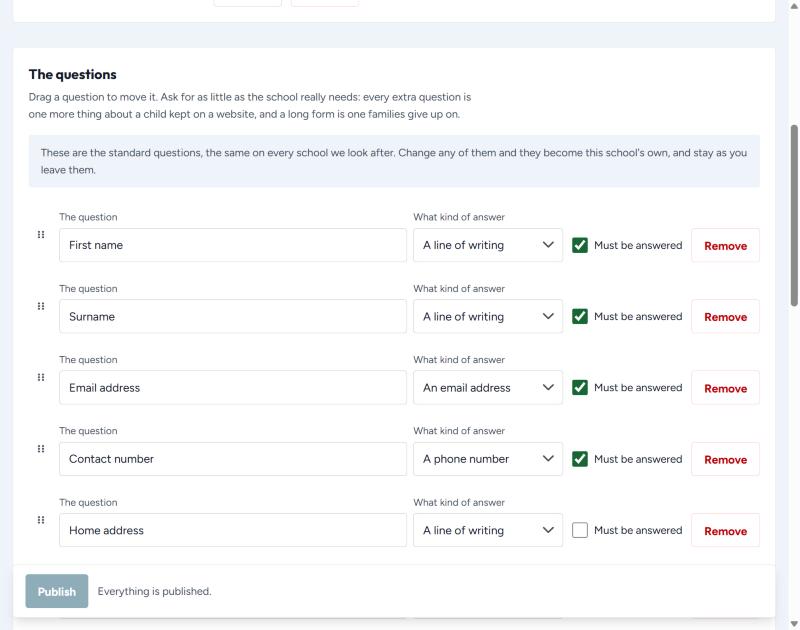
Every school starts with the same standard questions. The moment you change one, they become your school's own and stay as you leave them. A Use the standard questions button appears if you ever want to go back.
- The question — what the family sees, such as "First name".
- What kind of answer — a line of writing, a longer answer, an email address, a phone number, a date, or a choice.
- Must be answered — tick for the handful you really need. Everything else should be optional.
- + Add a question adds one at the bottom.
Ask for as little as you can
Every extra question is one more thing about a child kept on a website, and a long form is one families give up on. Name, a way to contact them, and what they want to know is usually enough.
Where the form appears
Wherever a page asks for it. Open the page under Pages and press the form button where you want it to sit — see section 6.